Smartbedded Meteobridge PRO2
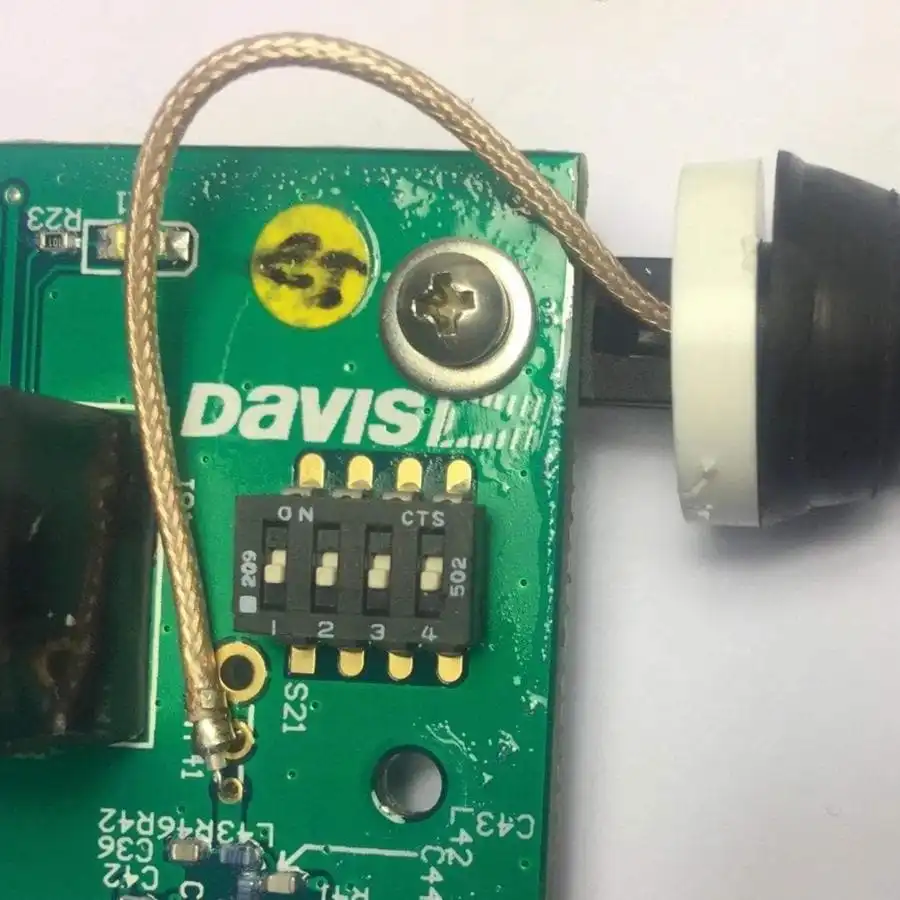
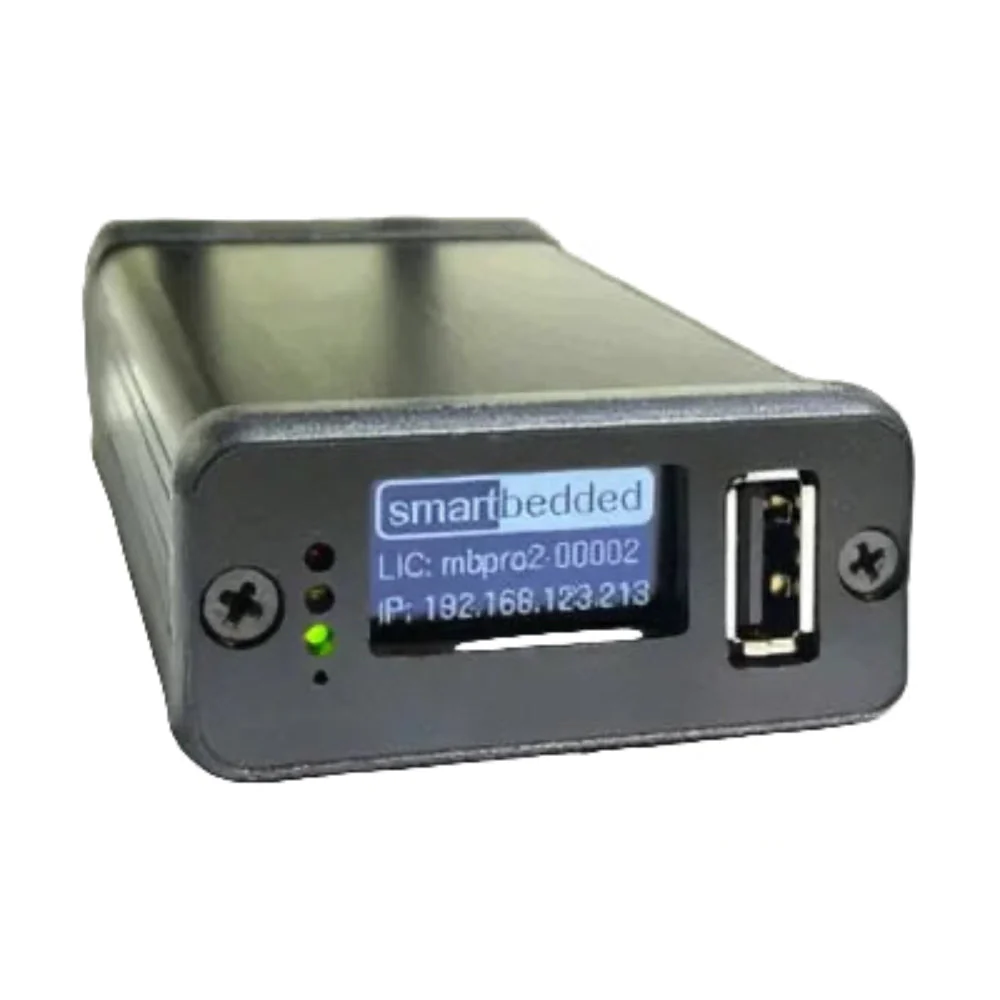
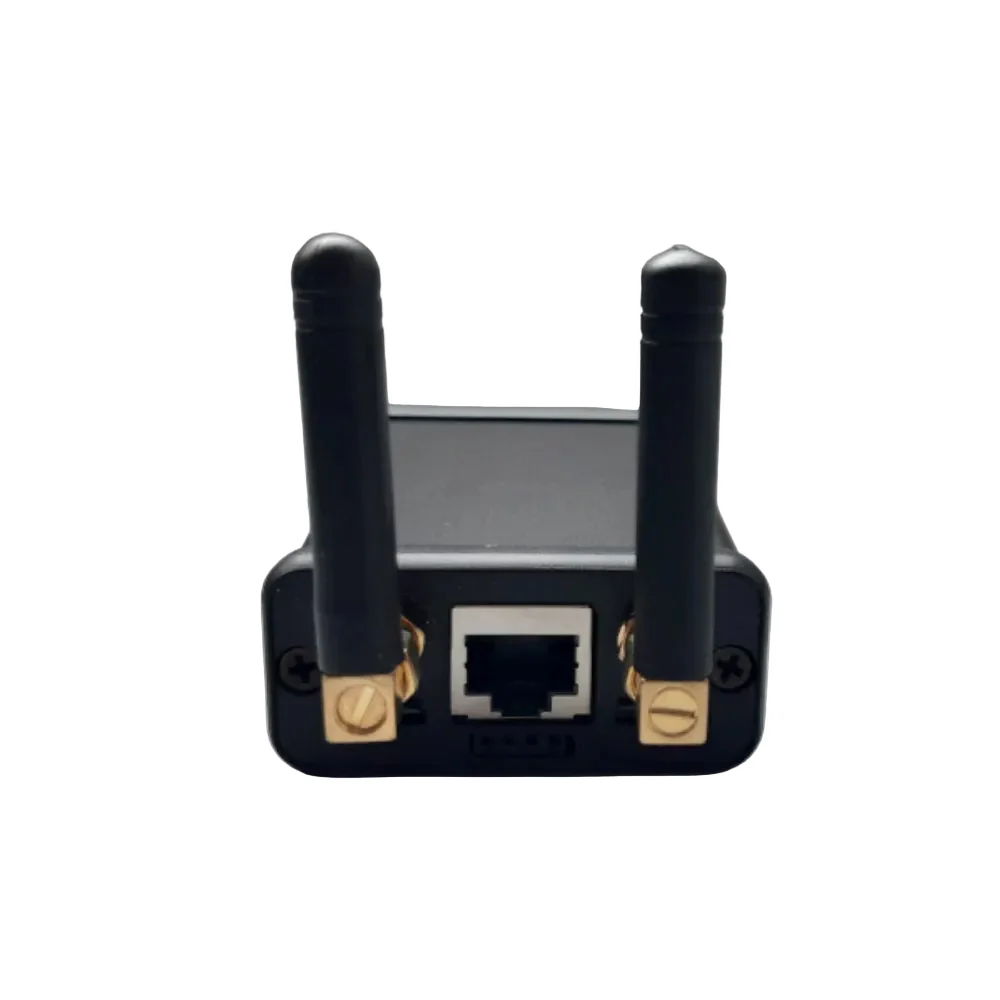
The Meteobridge PRO2 is a Personal Weather Server. Meteobridge PRO comes in a tiny package (about the size of a external hard drive), with 1-2 watts of power, 16GB of internal data storage (on a SD card), LAN and WiFi capabilities, a graphical LED display, 2 external USB ports and built-in RF capability to receive data directly from Davis Instruments sensors.
Standalone - Meteobridge PRO2 is managed through your browser, so you don't have to install anything on a PC and you can use it with any desktop, laptop or tablet computer. You initially configure the Meteobridge PRO2 with a web browser. Once configured the Meteobridge PRO2 works completely independently of a computer, so you don't have to have a PC on all the time to monitor the weather data. It is a stand-alone, low-power solution that takes care of your weather station data.
Weather stations - Meteobridge PRO2 supports these weather stations:
- Davis Instruments® Vantage Pro2TM, VueTM (can read data directly from the ISS wirelessly, without the need for a console, envoy or data logger)
- Davis Instruments® Envoy 8x
- Oregon Scientific® WMR-88, WMR-100, WMRS-200, WMR-300, RMS-200, WMR-928, WMR-968
- Meade/Irox/Mebus/Honeywell/Nexus TE-923, TE-827, TE-821, DV-928
- FineOffset/Ambientweather WH-1080, WH-2080, WH-3080, Observer-IP
- FineOffset WH-2310/2308, WH-4000
- Ecowitt GW1000/GW1100/GW1200/GW3000 via IP connection
- Ecowitt consoles supporting custom upload server
- PeetBros Ultimeter 100, 800, 2100
- Rainwise MkIII (les interfaces MkIIICC et CC-3000 sont supportées)
- Lufft WS600/601
- Acurite 1025, 1035, 1525, AcuLink Bridge
- LaCrosse/ELV WS2300, WS550, WS777, WS888, WDC7000
Weather Networks - By being connected to one of the above weather stations, Meteobridge PRO can upload your weather station data to the following Internet weather networks, where you are part of a weather community and get your data visualised in different ways:
- Weather Underground
- Weather Underground Camera
- AWEKAS
- CWOP / APRS
- WeatherBug Backyard
- WeatherForYou
- WOW NL
- Teere-Net
- Open Weather Map
- Weather Cloud
- Windfinder
- Windguru
- Idokep
- Weatherflow
- Wetter.com
- Previmeteo
- Anything Weather
- Meteonews
- Meteoplug Cloud Graphing
- Meteobridge Weather CAM
- Wetterring
- Weathercloud
- Ambientweather Network
- Agroclima
Uploading / Sending - In addition to feeding the weather networks, Meteobridge PRO allows you to send your weather data at short intervals to your own server on the Internet. This can be done via FTP, SFTP, HTTP, HTTPS or even mySQL requests. You can also send weather data by e-mail or publish it on Twitter. The choice of which data to send or upload and how often is entirely up to you. Web page templates - Meteobridge PRO2 can feed the most popular web page templates ("Leuven", "Saratoga", "Home Weather Station", "Meteotemplate" and "WD-Live") and allows you to easily create your own weather web page on the Internet.
Conditions - Meteobridge PRO2 can even act on user-defined sensor data conditions and initiate any of the above actions (such as email) when the sensor data matches the conditions you have defined. Having multiple ways to download and send data, controlled by user-defined conditions, gives you an extremely flexible tool depending on the sensor data.
Remote Access - Meteobridge PRO2 offers the ability to be reached from the Internet by simply setting a mark on the web interface. This will provide you with an Internet URL where you can access your Meteobridge PRO2. No changes to your firewall or router are required. It just works, unless you are in a corporate LAN where a firewall is in place. This is extremely useful when you are travelling or the Meteobridge is in a remote location and you want to check or change settings. Your Meteobridge remains protected by the password you set.
Display - Meteobridge PRO2 has a 128x64 pixel black/white screen on the front, which is used during start-up to show the progress of the start-up and the IP address given to it by the router. This screen is user programmable and can also be used to display the station's sensor data. You can define separate pages to be displayed on the screen. These pages can contain text in different fonts and sizes and will typically display sensor data. You can organise these pages into a flow so that the information to be displayed changes at a frequency you define. The example below shows a typical cascade of pages that comes as predefined.
Storage - Meteobridge PRO2 comes with an internal database that can store up to 16GB of weather station data, allowing a lifetime of data to be stored. Data can be viewed, edited and deleted via the Meteobridge PRO2 web interface, which also provides a graphical overview of a specific sensor's data over a period of one year, one month or one day. Meteobridge PRO2 can use the stored data directly when uploading information, allowing you to feed your web server with any type of sensor data for any period. Therefore, you are not limited to predefined patterns, but can design your weather presence on the Internet as you wish.
Sharing - Meteobridge PRO2 allows you to export stored weather data in a CSV notation. The data to be exported and the time period are user defined. This allows you to export data for various monitoring processes. Meteobridge PRO2 makes data exports accessible by providing a samba share (Windows network folder) that every PC on your local network can easily mount as a network folder.
Monitoring - Meteobridge PRO2 has internal power monitoring that measures the media voltage and power usage of Meteobridge PRO2 itself and all connected USB devices. This is extremely useful when Meteobridge PRO2 is operating in a battery powered environment as it can monitor and even act on power conditions. It also allows you to check if your installation is running "as green" as expected.
SMS / Twitter (X)- Meteobridge PRO2 can send SMS via the service provider "messagebird". This can be done at regular intervals or triggered by user defined events. The content of the SMS may include weather data. Meteobridge PRO is not limited to SMS but can also send weather information via twitter.
Graphics - Meteobridge PRO2 can display graphics of recorded weather data. The library used is "amcharts". These charts are fully interactive. You can touch the timeline to expand or contract the time period to be displayed. As the cursor moves over the graph, text data appears. The data can be shown or hidden by clicking on the legend items. Different types of information can be displayed in vertically stacked panels that share the same timeline. You can inspect the graphs from the Meteobridge PRO web interface or you can upload the graphs via FTP to your web server. Integration into your homepage is very easy as the charts are self-contained, you do not need to install additional libraries on your web server. Furthermore, you can also access the graphics on your Meteobridge PRO2 from the internet, if remote access is enabled on your Meteobridge PRO2. The graphics are not password protected, so you do not have to compromise your Meteobridge PRO administration password to allow access to the graphics. Although Meteobridge PRO comes with a set of standard chart definitions (both ISO and imperial units), you can also define new chart definitions based on the capabilities of the "amchart" chart engine. In this way, Meteobridge PRO2 offers more options for visualizing weather data than most PC programs, while having an unmatched form factor and requiring a very low amount of power.
Original: $795.01
-70%$795.01
$238.50Product Information
Product Information
Shipping & Returns
Shipping & Returns
Description
The Meteobridge PRO2 is a Personal Weather Server. Meteobridge PRO comes in a tiny package (about the size of a external hard drive), with 1-2 watts of power, 16GB of internal data storage (on a SD card), LAN and WiFi capabilities, a graphical LED display, 2 external USB ports and built-in RF capability to receive data directly from Davis Instruments sensors.
Standalone - Meteobridge PRO2 is managed through your browser, so you don't have to install anything on a PC and you can use it with any desktop, laptop or tablet computer. You initially configure the Meteobridge PRO2 with a web browser. Once configured the Meteobridge PRO2 works completely independently of a computer, so you don't have to have a PC on all the time to monitor the weather data. It is a stand-alone, low-power solution that takes care of your weather station data.
Weather stations - Meteobridge PRO2 supports these weather stations:
- Davis Instruments® Vantage Pro2TM, VueTM (can read data directly from the ISS wirelessly, without the need for a console, envoy or data logger)
- Davis Instruments® Envoy 8x
- Oregon Scientific® WMR-88, WMR-100, WMRS-200, WMR-300, RMS-200, WMR-928, WMR-968
- Meade/Irox/Mebus/Honeywell/Nexus TE-923, TE-827, TE-821, DV-928
- FineOffset/Ambientweather WH-1080, WH-2080, WH-3080, Observer-IP
- FineOffset WH-2310/2308, WH-4000
- Ecowitt GW1000/GW1100/GW1200/GW3000 via IP connection
- Ecowitt consoles supporting custom upload server
- PeetBros Ultimeter 100, 800, 2100
- Rainwise MkIII (les interfaces MkIIICC et CC-3000 sont supportées)
- Lufft WS600/601
- Acurite 1025, 1035, 1525, AcuLink Bridge
- LaCrosse/ELV WS2300, WS550, WS777, WS888, WDC7000
Weather Networks - By being connected to one of the above weather stations, Meteobridge PRO can upload your weather station data to the following Internet weather networks, where you are part of a weather community and get your data visualised in different ways:
- Weather Underground
- Weather Underground Camera
- AWEKAS
- CWOP / APRS
- WeatherBug Backyard
- WeatherForYou
- WOW NL
- Teere-Net
- Open Weather Map
- Weather Cloud
- Windfinder
- Windguru
- Idokep
- Weatherflow
- Wetter.com
- Previmeteo
- Anything Weather
- Meteonews
- Meteoplug Cloud Graphing
- Meteobridge Weather CAM
- Wetterring
- Weathercloud
- Ambientweather Network
- Agroclima
Uploading / Sending - In addition to feeding the weather networks, Meteobridge PRO allows you to send your weather data at short intervals to your own server on the Internet. This can be done via FTP, SFTP, HTTP, HTTPS or even mySQL requests. You can also send weather data by e-mail or publish it on Twitter. The choice of which data to send or upload and how often is entirely up to you. Web page templates - Meteobridge PRO2 can feed the most popular web page templates ("Leuven", "Saratoga", "Home Weather Station", "Meteotemplate" and "WD-Live") and allows you to easily create your own weather web page on the Internet.
Conditions - Meteobridge PRO2 can even act on user-defined sensor data conditions and initiate any of the above actions (such as email) when the sensor data matches the conditions you have defined. Having multiple ways to download and send data, controlled by user-defined conditions, gives you an extremely flexible tool depending on the sensor data.
Remote Access - Meteobridge PRO2 offers the ability to be reached from the Internet by simply setting a mark on the web interface. This will provide you with an Internet URL where you can access your Meteobridge PRO2. No changes to your firewall or router are required. It just works, unless you are in a corporate LAN where a firewall is in place. This is extremely useful when you are travelling or the Meteobridge is in a remote location and you want to check or change settings. Your Meteobridge remains protected by the password you set.
Display - Meteobridge PRO2 has a 128x64 pixel black/white screen on the front, which is used during start-up to show the progress of the start-up and the IP address given to it by the router. This screen is user programmable and can also be used to display the station's sensor data. You can define separate pages to be displayed on the screen. These pages can contain text in different fonts and sizes and will typically display sensor data. You can organise these pages into a flow so that the information to be displayed changes at a frequency you define. The example below shows a typical cascade of pages that comes as predefined.
Storage - Meteobridge PRO2 comes with an internal database that can store up to 16GB of weather station data, allowing a lifetime of data to be stored. Data can be viewed, edited and deleted via the Meteobridge PRO2 web interface, which also provides a graphical overview of a specific sensor's data over a period of one year, one month or one day. Meteobridge PRO2 can use the stored data directly when uploading information, allowing you to feed your web server with any type of sensor data for any period. Therefore, you are not limited to predefined patterns, but can design your weather presence on the Internet as you wish.
Sharing - Meteobridge PRO2 allows you to export stored weather data in a CSV notation. The data to be exported and the time period are user defined. This allows you to export data for various monitoring processes. Meteobridge PRO2 makes data exports accessible by providing a samba share (Windows network folder) that every PC on your local network can easily mount as a network folder.
Monitoring - Meteobridge PRO2 has internal power monitoring that measures the media voltage and power usage of Meteobridge PRO2 itself and all connected USB devices. This is extremely useful when Meteobridge PRO2 is operating in a battery powered environment as it can monitor and even act on power conditions. It also allows you to check if your installation is running "as green" as expected.
SMS / Twitter (X)- Meteobridge PRO2 can send SMS via the service provider "messagebird". This can be done at regular intervals or triggered by user defined events. The content of the SMS may include weather data. Meteobridge PRO is not limited to SMS but can also send weather information via twitter.
Graphics - Meteobridge PRO2 can display graphics of recorded weather data. The library used is "amcharts". These charts are fully interactive. You can touch the timeline to expand or contract the time period to be displayed. As the cursor moves over the graph, text data appears. The data can be shown or hidden by clicking on the legend items. Different types of information can be displayed in vertically stacked panels that share the same timeline. You can inspect the graphs from the Meteobridge PRO web interface or you can upload the graphs via FTP to your web server. Integration into your homepage is very easy as the charts are self-contained, you do not need to install additional libraries on your web server. Furthermore, you can also access the graphics on your Meteobridge PRO2 from the internet, if remote access is enabled on your Meteobridge PRO2. The graphics are not password protected, so you do not have to compromise your Meteobridge PRO administration password to allow access to the graphics. Although Meteobridge PRO comes with a set of standard chart definitions (both ISO and imperial units), you can also define new chart definitions based on the capabilities of the "amchart" chart engine. In this way, Meteobridge PRO2 offers more options for visualizing weather data than most PC programs, while having an unmatched form factor and requiring a very low amount of power.